Live · used in real plants

Every instrument in calibration, and the proof one click away.

Due dates worked out for you, send-outs to the lab, certificates read and matched to the right piece, in-house calibrations signed by a second person. When the auditor asks, the answer is already there.

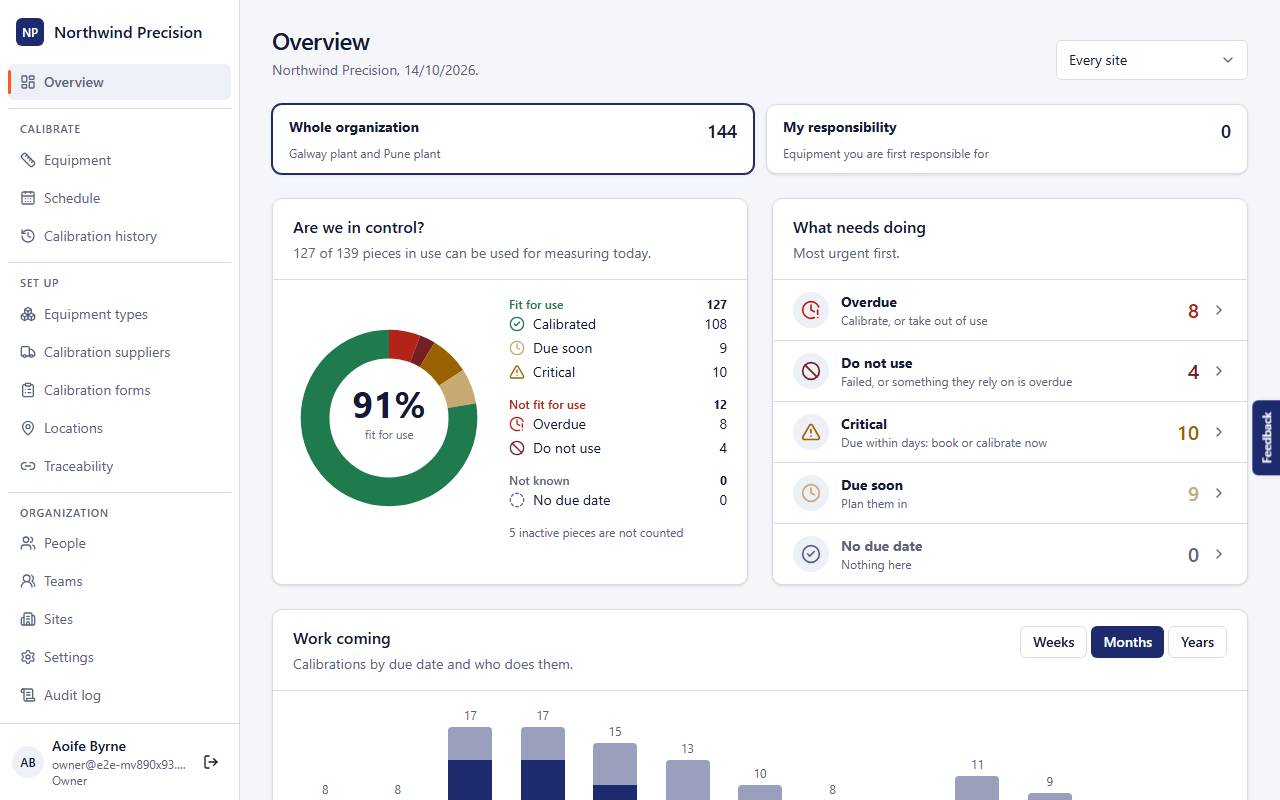
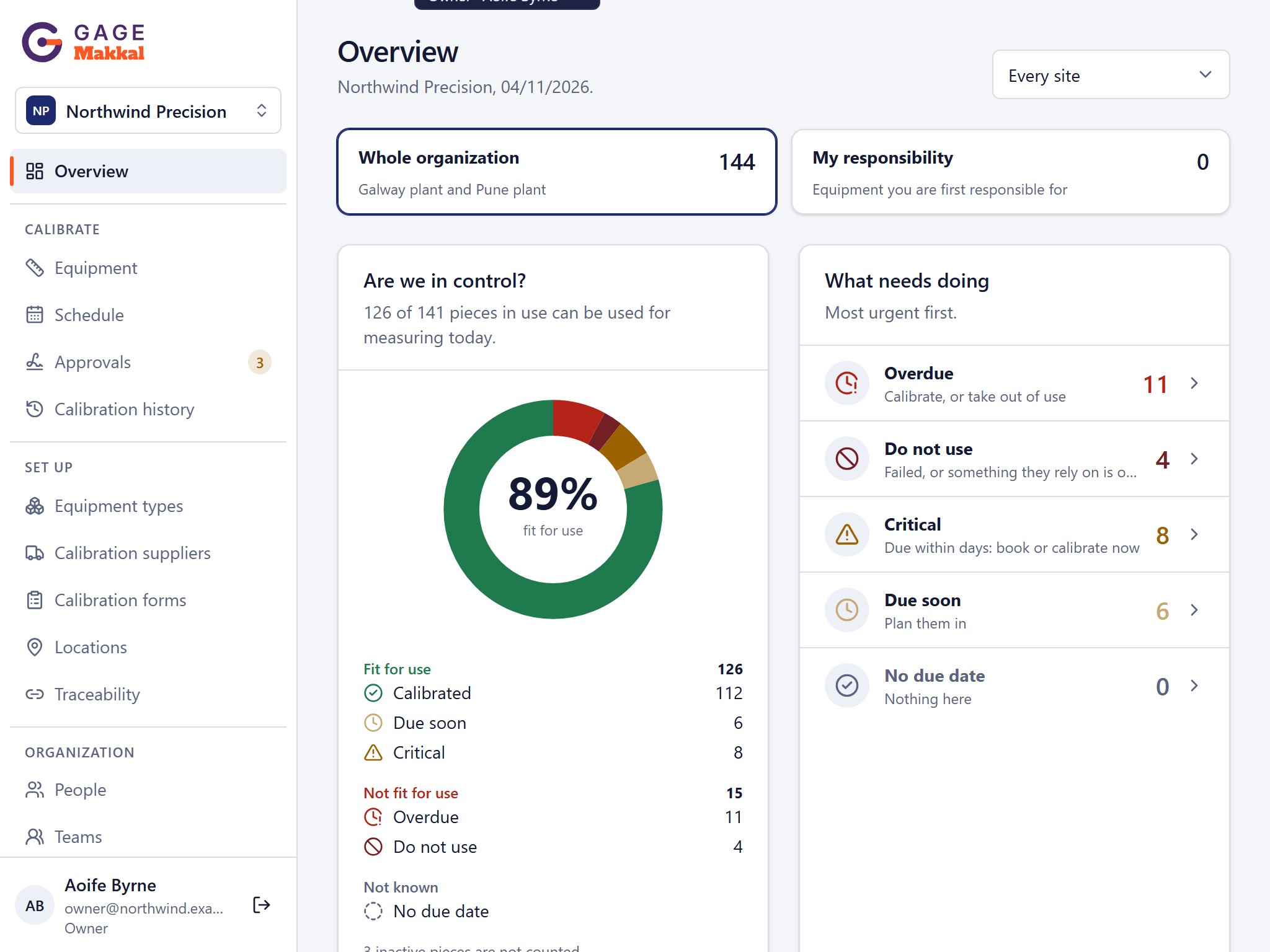
Are we ready fornext week's audit? Every gauge in date.Two are at the lab.
The tour

See GageMakkal in one minute.

Audit morning: which gauges are overdue, calibrations planned by supplier, a certificate read, and the proof opened from a gauge’s history. Recorded in the real app. Press play; it has sound.

Makkal AI

Certificates read by AI. Checked by you.

A box of certificates comes back from the lab. Drop the PDFs in, or scan the paper ones with the Android app (iPhone coming): AI reads each one, fills in the fields and finds the piece it belongs to. You check it, then it is recorded.

Reads every certificateFields filled in and matched to the right piece. It tells in-house work from outside labs by who issued it. Hundreds at once.
You stay in the loopThe file sits beside what was read. Nothing is recorded until you have looked and said yes. Filling in by hand always works.
You control every creditNothing is read until someone presses Analyze. Credits come with your plan each year, and Owners see who used them.
ComingLab quotes read by AI and compared year to year · Readings from a certificate straight into your calibration form All about Makkal AI →
01

Know what is due before it is late

  • The Overview counts what is in date, due soon, overdue or not to be used, worked out from the due dates every time.
  • The schedule shows what is due as a list or a calendar, grouped by supplier, type, location, team or site.
  • One email a morning, only when something of yours needs attention, or a summary on Mondays.
Read the how-to →
How-to: see what is due and plan calibrations
02

Every piece and its whole history

  • What it is, where it is kept, who looks after it, when it is next due, and every calibration and certificate it has had.
  • Bring in thousands of pieces from a spreadsheet and see what will change before anything is applied.
  • Types and intervals set once, used for every piece of that type.
Read the how-to →
How-to: find, import and update equipment
03

Certificates read for you, checked by you AI

  • Send pieces out to the lab and see where each one is and when it is back.
  • Drop the lab's certificates in: each is read, matched to its piece and shown to you before anything is recorded.
  • Nothing is analysed until you press Analyze, so no AI credit is used without you.
Read the how-to →
How-to: read and record certificates
04

In-house calibration, approved

  • Calibration forms with the readings, limits and the standards used.
  • A calibration counts only once a second person approves it, signing with their password.
  • When a reference standard is overdue, every piece calibrated with it is shown as affected.
Read the how-to →
How-to: review and approve a calibration
Any screen

On the office PC, at the bench, on the shop floor.

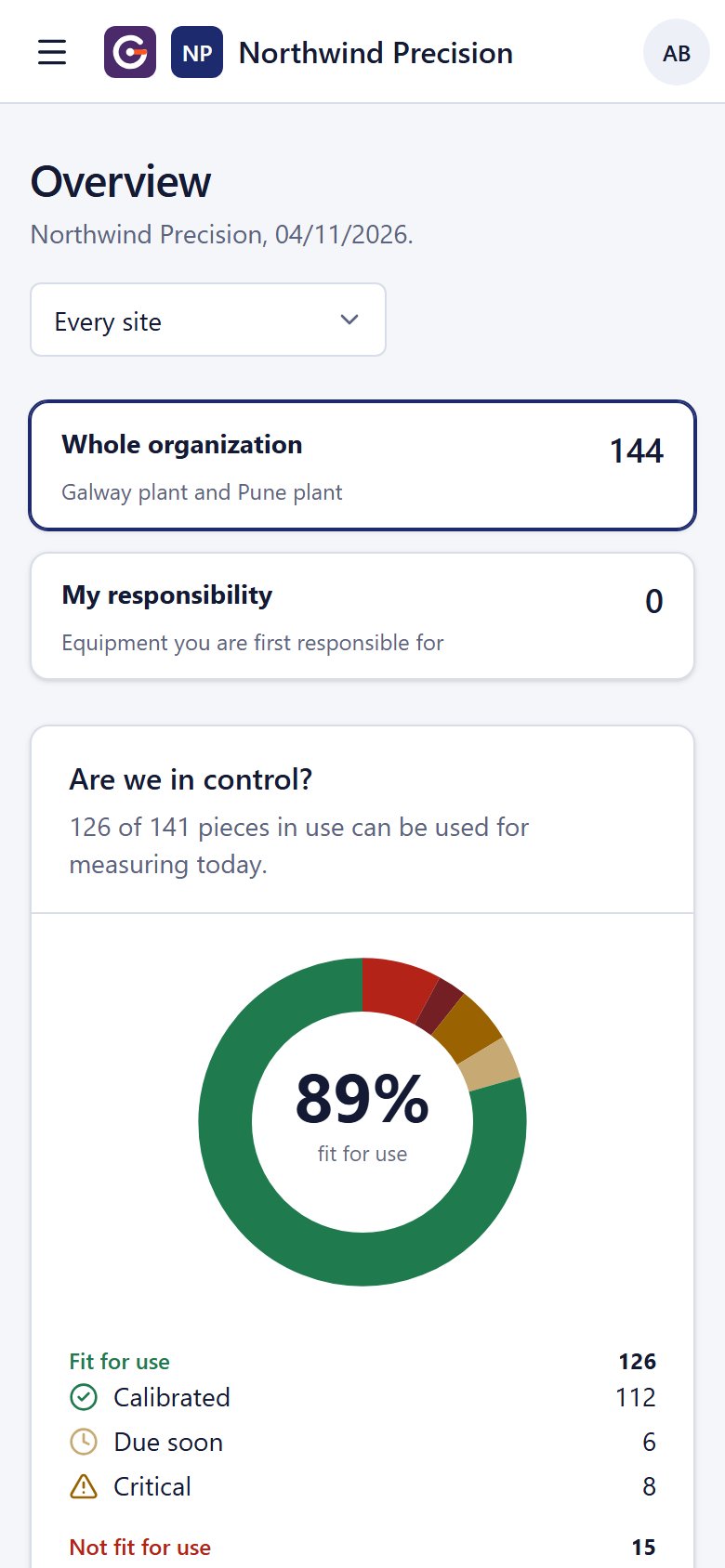
The same app in any browser: the full view on a PC, a tablet at the bench, a phone layout for one hand on the floor. Your data is the same everywhere.

  • Nothing to install on each device: open it in the browser.
  • Menus fold away on a phone; tables become lists you can tap.
  • One sign-in for every app, on every device.
  • The GageMakkal Android app adds notifications and scanning of paper certificates.

Get it on Google Play

Lukasz Filipczak

We recently had an IATF audit, and the auditors were happy that we had a system in place to control our calibration activity. GageMakkal was part of that success.

Lukasz FilipczakCalibration manager, Tier-1 automotive supplier
Friday, the lab's van

Twelve instruments come back. Lena has them recorded before lunch.

  1. Back from the labJan brings the box: twelve instruments, their certificates on top.
  2. ReadLena drops the certificates in. Each is read and matched to its piece; she checks each one before it is recorded.
  3. Back in useThe due dates move on and the Overview turns green. Tomás sees it without asking.
Twelve back,certificates on top. Drop them in,I'll check them.
Works with

Better with the rest of the honeycomb.

MainteMakkal looks after the machines, AuditMakkal audits calibration as part of your programme, and CapaMakkal takes a failed calibration to a corrective action.

Questions

What is GageMakkal?

Calibration management software for manufacturers: a register of every gauge and measuring instrument, with when each is due, which ones must not be used, every calibration and certificate, and who did what.

Which standards does it help with?

It keeps the records auditors ask for under ISO 9001 (clause 7.1.5, monitoring and measuring resources), IATF 16949 (7.1.5.2.1, calibration and verification records) and labs working to ISO/IEC 17025: status, history, certificates, traceability to reference standards, and an audit log of every change. Read how the standards ask you to keep traceability records

We use a spreadsheet today. How do we start?

Export your register as a CSV sheet and import it: GageMakkal shows what every line will do before anything is saved, and adds the equipment types it does not know yet. Then drop your certificates on the list to fill in the history.

We use the current GageMakkal. What happens to our data?

Everything comes across as it is on the day you move: equipment, due dates, calibration history, certificates, notes and people. We check the counts with you before you switch.

How do people sign in?

With your company's Microsoft or Google account, or with an email and password. Each organization has its own address, such as yourcompany.makkal.app.

Where is our data kept?

On servers in Europe (Paris), backed up every night. Each organization’s data is kept apart from every other’s by the database itself.

What does it cost?

We are opening GageMakkal to new customers now. Talk to us and we will find a price that fits the number of pieces you look after.

More in the help pages, one for each page of the app.

Talk to us

Questions about GageMakkal? Ask a person.

Tell us what you look after and how you work today. We answer the same working day, usually.

  • A person answers within one working day, not a bot.
  • A 30-minute call with your own equipment list or machines.
  • We help you move in from spreadsheets or another system.
What would you like?

We use your details only to answer you. No newsletter unless you ask.

Your instruments, in date and ready for the audit.

Import your instruments from a spreadsheet and see where calibration stands in an afternoon.

Start free